How to Run Google Ads

How to Run Google Ads (Step-by-Step Beginner Guide)

Running ads on Google Ads is one of the fastest ways to generate traffic, leads, and sales for your business. Whether you are a small business owner, freelancer, or agency, this guide will walk you through the exact steps to launch your first successful campaign.

Step 1: Create a Google Ads Account

Go to the Google Ads website and sign in with your Google account.

After signing up, Google will guide you through the campaign setup process. If you want full control, switch to Expert Mode instead of Smart Campaigns.

Step 2: Choose Your Campaign Goal

Google Ads asks you to select a campaign objective. Choose based on what you want to achieve:

  • Sales – For eCommerce purchases

  • Leads – For form submissions, calls, inquiries

  • Website Traffic – To increase visitors

  • Brand Awareness – To reach more people

  • App Promotion – To increase downloads

Your goal helps Google optimize your campaign properly.

Step 3: Select Campaign Type

Choose the campaign type that matches your objective:

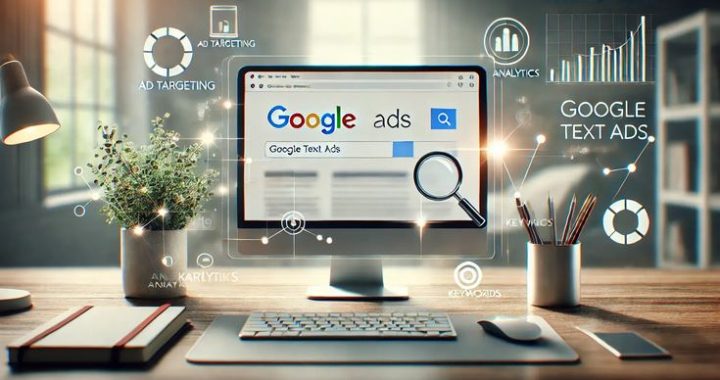
  • Search Campaign – Text ads on Google search results

  • Display Campaign – Banner ads on websites

  • Video Campaign – Ads on YouTube

  • Shopping Campaign – Product-based ads for eCommerce

  • Performance Max – Ads across all Google platforms

For beginners, Search Campaign is usually the best starting point.

Step 4: Set Location & Audience Targeting

Define who should see your ads:

  • Country, state, or city targeting

  • Language selection

  • Age and gender (optional)

  • Device targeting (mobile/desktop)

Targeting the right audience helps reduce wasted budget.

Step 5: Keyword Research

Keywords are the foundation of Google Ads.

Choose:

  • High-intent keywords (e.g., “buy running shoes online”)

  • Relevant search terms related to your product/service

  • Long-tail keywords for lower competition

Also add Negative Keywords to avoid irrelevant clicks.

Example: If you sell premium shoes, add “free” as a negative keyword.

Step 6: Set Your Budget & Bidding Strategy

You can start with a small daily budget. Even $5–$10 per day works for testing.

Common bidding strategies:

  • Maximize Clicks – Good for traffic

  • Maximize Conversions – Good for leads/sales

  • Manual CPC – Full control over bids

Beginners can start with Maximize Clicks, then switch to conversion-based bidding later.

Step 7: Write a High-Converting Ad

Your ad copy should include:

  • Target keyword in headline

  • Clear benefit

  • Strong Call-to-Action (CTA)

Example:
Headline: Affordable Digital Marketing Services
Description: Grow Your Business with Expert Marketing Strategies. Get a Free Consultation Today!

Make sure your landing page matches your ad message.

Step 8: Add Extensions

Ad extensions improve vis

×

ibility and increase click-through rate.

Popular extensions:

  • Sitelink extensions

  • Call extensions

  • Location extensions

  • Callout extensions

Extensions make your ad bigger and more trustworthy.

Step 9: Launch Your Campaign

After reviewing everything:

  • Check targeting

  • Check keywords

  • Check budget

  • Review ad copy

Click Publish and your campaign will go live.

Step 10: Monitor & Optimize

Running ads is not “set and forget.”

Regularly check:

  • Click-Through Rate (CTR)

  • Cost Per Click (CPC)

  • Conversion Rate

  • Cost Per Conversion

Pause low-performing keywords and improve high-performing ones.

Optimization is the key to profitability.

Pro Tips for Better Results

✔ Focus on high-intent keywords
✔ Use negative keywords
✔ Test multiple ad variations
✔ Improve landing page speed
✔ Track conversions properly

Google Ads

What Is Google Ads? Complete Beginner’s Guide 

Introduction

In today’s digital world, businesses need fast and measurable ways to reach potential customers. One of the most powerful tools for online advertising is Google Ads, created by Google. It allows businesses to show ads to people who are actively searching for products or services online.

In simple terms, Google Ads is a paid advertising platform that helps you drive targeted traffic, generate leads, and increase sales by displaying ads on Google’s network.

This beginner’s guide will explain how Google Ads works, its types, benefits, and how you can get started.

How Does Google Ads Work?

Google Ads operates mainly on a Pay-Per-Click (PPC) model. This means you only pay when someone clicks on your ad.

Here’s how it works:

  1. You choose keywords related to your business (for example, “digital marketing services”).

  2. When users search for those keywords on Google, your ad may appear in the search results.

  3. Google runs an auction to decide which ads appear and in what order.

  4. If someone clicks your ad, you pay a small fee (called Cost Per Click or CPC).

Google doesn’t simply show ads based on the highest bid. It also considers Quality Score, which measures how relevant and useful your ad and landing page are to users.

Types of Google Ads Campaigns

Google Ads offers multiple campaign types depending on your goals.

1. Search Ads

These are text ads that appear at the top or bottom of Google search results. They are ideal for capturing high-intent customers.

2. Display Ads

These are image or banner ads that appear on websites within Google’s Display Network.

3. Video Ads

These ads appear on YouTube before, during, or after videos.

4. Shopping Ads

Best for eCommerce businesses, these ads display product images, prices, and store names directly in search results.

5. App Promotion Ads

These campaigns help increase mobile app downloads and engagement.

Key Benefits of Google Ads

✔ Instant Traffic

Unlike SEO, which takes time, Google Ads can bring immediate visitors to your website.

✔ Targeted Advertising

You can target users by:

  • Location

  • Age

  • Gender

  • Interests

  • Device type

✔ Budget Control

You can set a daily budget and adjust it anytime. Even small businesses can start with a modest budget.

✔ Measurable Results

Google Ads provides detailed analytics, including:

  • Clicks

  • Impressions

  • Conversions

  • Cost per conversion

✔ High ROI Potential

With proper strategy and optimization, Google Ads can deliver strong returns on investment.

Important Google Ads Terms for Beginners

Keyword – The search term users type into Google.
CPC (Cost Per Click) – The amount you pay per click.
CTR (Click-Through Rate) – The percentage of users who click your ad after seeing it.
Conversion – A desired action (purchase, sign-up, call, etc.).
Quality Score – Google’s rating of your ad’s relevance and quality.

Understanding these basic terms is essential for running successful campaigns.

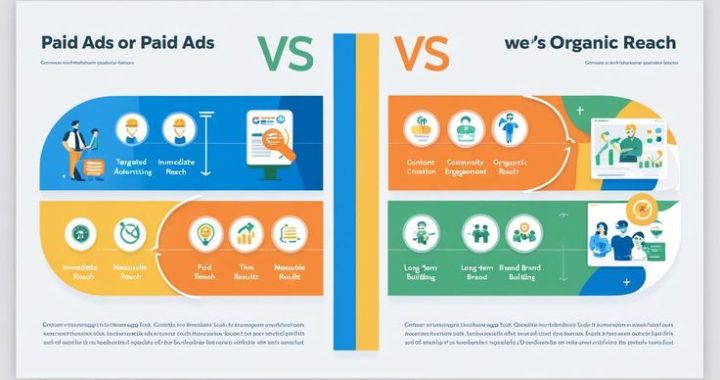
Google Ads vs SEO

Many beginners wonder whether Google Ads or SEO is better.

Google Ads SEO
Paid traffic Organic traffic
Immediate results Long-term results
Requires budget Requires time & effort
Great for quick leads Great for sustainable growth

The best strategy often combines both — using Google Ads for quick results and SEO for long-term visibility.

How to Start a Google Ads Campaign (Step-by-Step)

If you’re new to Google Ads, follow these simple steps:

Step 1: Create an Account

Sign up on the Google Ads platform.

Step 2: Choose a Campaign Goal

Select from goals like:

  • Sales

  • Leads

  • Website traffic

  • Brand awareness

Step 3: Define Your Audience

Set targeting options such as location, language, and demographics.

Step 4: Select Keywords

Choose relevant and high-intent keywords related to your business.

Step 5: Write Your Ad

Create a compelling headline and clear call-to-action.

Step 6: Set Your Budget

Decide how much you want to spend daily.

Step 7: Launch and Optimize

Monitor performance regularly and make improvements to increase results.

Beginner Tips for Success

  • Start with a small budget and scale gradually.

  • Focus on high-intent keywords.

  • Use negative keywords to avoid irrelevant clicks.

  • Ensure your landing page is fast and mobile-friendly.

  • Continuously test and optimize your ads.

Step-by-Step Guide to Running Ads on Instagram

Performance-Driven Advertising That Delivers Real Results

Instagram is no longer just a social platform — it is a powerful performance marketing engine. When executed with precision, Instagram Ads can generate qualified leads, consistent sales, and scalable business growth.

At Build for Growth, we don’t boost posts. We build structured ad systems designed for measurable ROI.

1. Strategic Foundation Setup

Every high-performing campaign begins with the right setup.

We ensure:

  • Instagram Business Account integration

  • Proper connection with Facebook

  • Structured account configuration inside Meta Ads Manager

  • Accurate tracking and conversion setup

Without technical precision, performance suffers. We build it right from the start.

2. Clear Campaign Objective Alignment

Success depends on choosing the right objective:

  • Brand Awareness

  • Website Traffic

  • Engagement Growth

  • Lead Generation

  • Conversion & Sales Campaigns

Every campaign is aligned with a defined business outcome — not vanity metrics.

3. Intelligent Audience Targeting

We combine creativity with data-driven targeting:

  • Demographic & geographic segmentation

  • Interest and behavior targeting

  • Custom audience creation

  • Lookalike audience scaling

  • Retargeting warm prospects

This ensures your ads are shown to people most likely to convert.

4. High-Impact Creative Execution

Creative is the engine of performance.

Our ad creatives include:

  • Scroll-stopping hooks

  • Benefit-focused messaging

  • Short-form vertical video ads

  • Reels and Story placements

  • Carousel conversion ads

Every visual and caption is designed to capture attention and drive action within seconds.

5. Budget Strategy & Scaling Model

We don’t guess budgets — we test and scale.

Our process:

  • Controlled A/B testing

  • Data-driven creative validation

  • Performance monitoring

  • Scaling winning ads strategically

This minimizes wasted spend and maximizes return.

6. Conversion-Focused Funnel Integration

Clicks alone don’t generate revenue. Systems do.

We integrate:

  • Optimized landing pages

  • Instant lead forms

  • WhatsApp automation

  • Email follow-up sequences

This transforms traffic into qualified business opportunities.

7. Continuous Optimization & Performance Tracking

We monitor key metrics including:

  • Click-through rate (CTR)

  • Cost per click (CPC)

  • Cost per lead

  • Conversion rate

  • Return on ad spend (ROAS)

Every campaign is refined for efficiency and scalability.

Our Instagram Ads Growth Formula

Strategic Setup →
Precision Targeting →
High-Converting Creative →
Optimized Funnel →
Data-Driven Scaling →
Consistent ROI

This is how Instagram becomes more than a platform — it becomes a predictable revenue channel.

Why Choose Our Instagram Advertising Strategy?

✔ Performance-First Approach
✔ Advanced Audience Segmentation
✔ Conversion-Focused Creative
✔ Continuous Testing & Scaling
✔ Measurable Business Impact

We don’t run ads.
We build scalable growth systems powered by performance marketing.